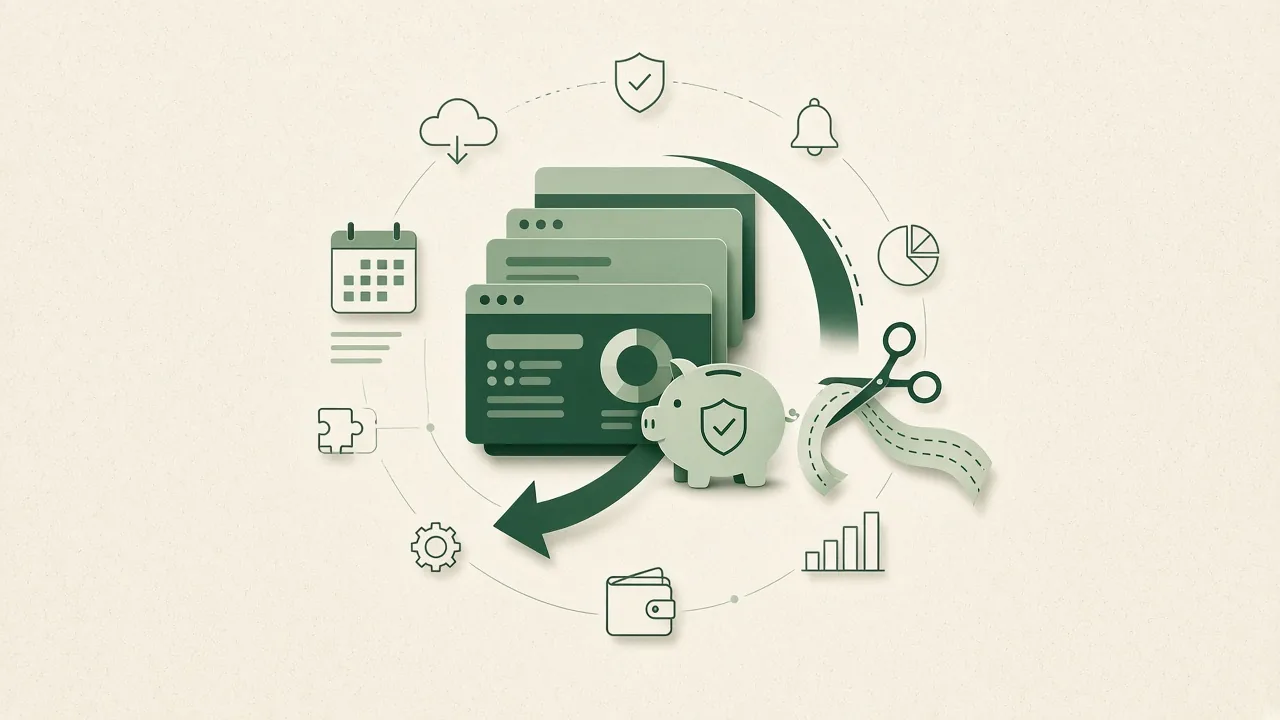
Eight money levers for individuals and small teams: billing term, plan tier, timing, renewals, refunds, paying from India, unused tools and coupons that fail.
Most people save money on software subscriptions by fixing four or five small habits, not by hunting for one magic coupon. Pick the right billing term, the right plan tier and the right moment to buy, then guard against renewal jumps and tools you stopped using. This guide is written for one person or a small team paying with their own card, not a procurement department. Each section covers one money lever, shows what it looks like on a real pricing page and points you to the guide that goes deeper. Prices below were checked on official pricing pages on 29 October 2026, and they change often, so confirm the live page before you pay. Work through the levers in order and you will usually find that the biggest wins come from the boring ones: billing, tiers and renewals. That is how you save money on software subscriptions without giving up the tools you need.
Pay annually only for tools you have used for at least two or three months.
Start on the lowest tier and upgrade when you hit a real limit.
Read the renewal price before the intro price; promos usually last one term.
Set a calendar reminder for every trial and refund deadline.
Audit your card statement every quarter and cancel what you did not open.
Billing term: annual vs monthly
Annual billing is the most common discount in software, and it is real money when you keep the tool. 1Password, for example, lists its Individual plan at $2.99 a month during its current promotion against a regular $3.99, and that price is tied to annual billing (1Password pricing, checked 29 Oct 2026).
The catch is commitment. An annual plan you abandon in month three costs more than three monthly payments would have. Our rule: pay monthly while you test, switch to annual once a tool has earned a place in your week for two or three months.
Common mistake: buying the yearly plan on day one because the per-month number looks small.
Plan tier: buy for the limit you actually hit
Vendors design tiers so the middle one looks like the sensible choice. Most individuals need less than that. Grammarly shows Free at $0 with 100 AI prompts a month and Pro at $12 a month with 2,000 prompts (Grammarly plans, checked 29 Oct 2026). If you write a few emails a day, the free tier may be all you need.
Start on the lowest plan that does the job and upgrade only when you hit a limit that costs you time. Downgrading later is often harder than upgrading, because features and data are tied to the bigger plan.
What to check before buying: the one limit that matters to you (seats, credits, projects, storage), not the full feature grid.
Timing: when to buy
Software has sale seasons just like shopping. Black Friday and Cyber Monday bring the deepest first-term discounts on many tools, and vendors also run launch and anniversary promotions. If a purchase can wait a few weeks, it often pays to wait for one of these windows.
Not every sale is a deal, though. A "70% off" badge can sit on an inflated list price, so compare the sale price against what the tool normally charges. Our guide on how to tell if a sale price is genuine walks through the checks, and they apply to software as much as to shoes.
Renewal price: read it before the intro price
The headline price on many software pages is a first-term price. 1Password states that its promotional pricing is for new customers, for the first year, with annual billing, and that it is only available when you subscribe directly on its site, not through app stores (checked 29 Oct 2026). From year two you pay the regular rate.
That pattern is everywhere in hosting, VPNs and security tools. Before you pay, find the renewal line (often in small print or the FAQ) and do the maths for year two. If the renewal price is fine, the intro discount is a bonus. If it is not, plan to switch or negotiate before the renewal date.
Refund window and free trials
A free trial or money-back window is a free test drive, but only if you act before it closes. 1Password offers a 14-day free trial on its Individual and Families plans (checked 29 Oct 2026). Many VPN and hosting providers offer money-back guarantees instead, with conditions on how much you have used.
Set a calendar reminder two days before every trial or refund deadline, the day you sign up. Note how cancellation works too: some tools let you cancel in the dashboard, others need an email to support. If you are comparing tools in our VPN category or web hosting category, check the refund terms as part of the price.
Paying from India
If you pay for international software from India, the listed dollar price is not your final cost. Your bank converts the amount and may add a foreign transaction markup, and GST can apply on imported digital services. Some vendors show local INR pricing, which can work out cheaper than the dollar plan.
Check three things before you subscribe: whether the vendor has an INR price, which payment methods it accepts (Grammarly lists major credit cards and PayPal, for example), and whether your card supports recurring international payments. Under RBI rules on recurring card payments, some renewals need you to approve them, so a failed renewal can quietly downgrade an account you rely on.
Unused subscriptions
The cheapest subscription is the one you cancel. Small monthly charges are easy to miss, and a few forgotten tools can cost more than the one you use every day.
Once a quarter, go through your card and UPI mandate list, write down every recurring software charge, and ask one question: did I open this in the last 30 days? If not, downgrade or cancel. Our guide to avoiding unused SaaS subscriptions has a full audit routine with a keep, downgrade or cancel decision for each tool.
Best for: freelancers and small teams who signed up for tools during a project and never looked back.
Coupon codes that fail at checkout
Software coupons work, but the conditions are strict. Many codes apply only to new customers, only to annual plans, or only to a specific tier, and they often cannot be combined with a sale price that is already discounted.
These levers apply to every category of software, but the details differ. Hosting is mostly about renewal prices, VPNs about refund windows, proxies about how usage is billed, and AI tools about credits and usage limits. Browse our proxies category and AI tools category for current offers, and we will add a deep-dive guide for each lever as it goes live.
One habit that pays for itself
Keep a simple list of every subscription with its price, billing term and renewal date. Most savings come from looking at it once a quarter.
Our recommendation
If you only do three things to save money on software subscriptions, do these. Pay monthly until a tool proves itself, then switch to annual. Read the renewal price before you get excited about the intro price. And cancel anything you have not opened in a month.
Coupons and sales add a layer on top, but they work best once your plan and billing term are already right. A 20% code on a plan you do not need is still overspending. Start with the levers you control, use deals for the tools you have already decided to keep, and check the live pricing page on the day you pay, because promotions and renewal terms change. A quarterly review takes about half an hour and is usually the single highest-value step. It is the simplest way to save money on software subscriptions month after month.
Topics
software pricing
C
Written by
Coupo9 Editorial
Every statistic in our guides names its source, and prices come from the brand's own pricing page. When the facts behind a guide change, we update it or take it down.
That ₹99 domain renews at ₹1,400, and the registrar is counting on you not noticing. The real ways to cut renewal costs: read the renewal price first, transfer out, or move to an at-cost registrar.